
Drop Caps
To conjure drop-caps (y’know, those big letter things that start a paragraph), all you need to do is increase the size of the first letter of a paragraph and float it to the left. Easy.
Step 1: The HTML
We can start with something like the following HTML:
<p>Once upon a time in a blueberry bubblegum land...[Big load of text]...a lost sunfish from the Sweet Spaghetti River.</p>
A simple no-frills paragraph.
Step 2: Making the drop cap
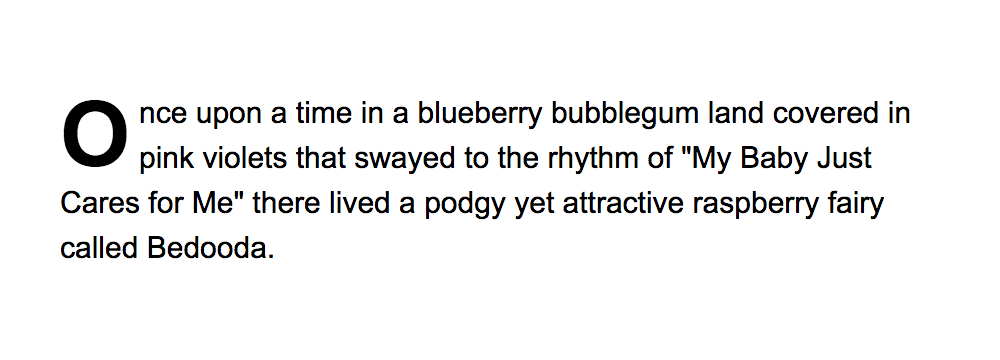
Next, we can apply the following CSS:
body {
    font: 15px/1.5 arial, helvetica, sans-serif;
}

p:first-letter {
    float: left;
    font-size: 45px;
    line-height: 1;
    font-weight: bold;
    margin-right: 9px;
}
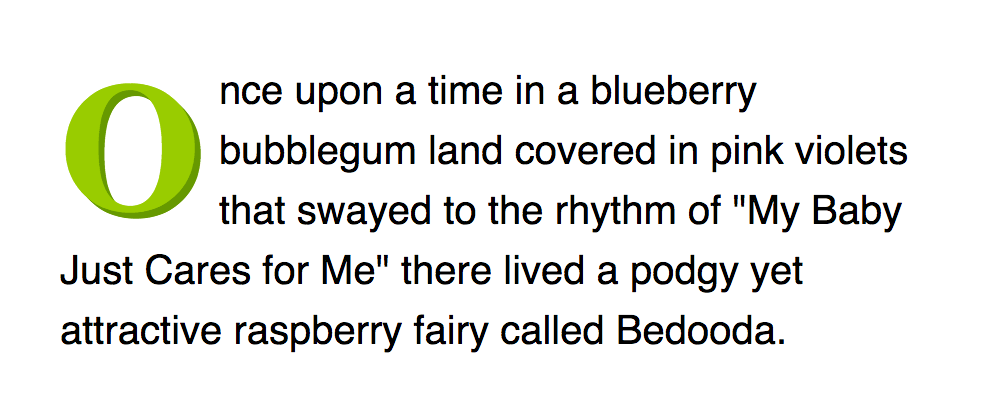
And we could ramp up the fanciness a little…
p:first-letter {
    float: left;
    font-size: 45px;
    line-height: 1;
    font-weight: bold;
    margin-right: 9px;
    color: #9c0;
    font-family: "Times New Roman", Times, serif;
    text-shadow: #690 .05em .05em;
}
Alternatively, if we were feeling a tad crazy, we could replace the functional text with an image:
p:first-letter {
    float: left;
    font-size: .1px;
    padding: 50px 0 0 40px;
    background: url(/examples/images/o.gif);
    margin-right: 9px;
}
Targeting only the first paragraph
We’ve been keeping things super-simple so far. If you are going to use drop caps, however, it’s likely you will want to target the first letter of only the first paragraph. As it is, the above examples will target every paragraph.
You could do this by applying a class or id to the chosen p element but the sexier way to do it is by using the :first-of-type pseudo-class. This can be used to target the first instance of a paragraph and then the first letter of that paragraph:
body {
    font: 15px/1.5 arial, helvetica, sans-serif;
}

p:first-of-type:first-letter {
    float: left;
    font-size: 45px;
    line-height: 1;
    font-weight: bold;
    margin-right: 9px;
}